Installation Guide
Status: ✅ Available
Requirements
| Requirement | Minimum version |
|---|---|
| VS Code | 1.85.0 |
| Node.js | 18.0.0 |
Install from VSIX
- Go to the Releases page.
- Download the latest
.vsixfile (e.g.agent-teams-1.0.0.vsix). - Open VS Code.
- Open the Extensions panel:
- Windows / Linux:
Ctrl+Shift+X - macOS:
Cmd+Shift+X
- Windows / Linux:
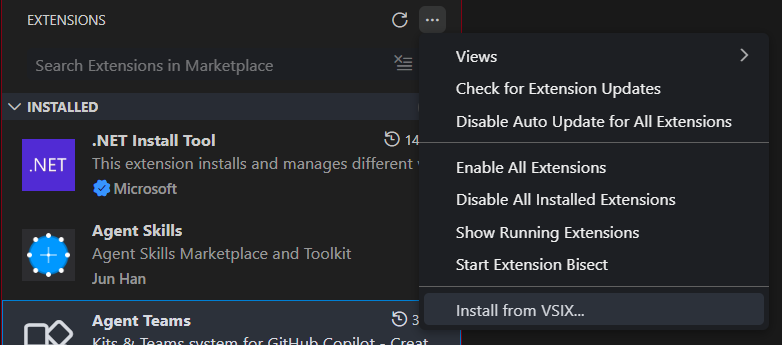
- Click the
···menu at the top-right of the panel. - Select Install from VSIX…
- Navigate to the downloaded file and select it.
- Click Reload when prompted.
First Launch
After installation:
- Open Command Palette:
- Windows / Linux:
Ctrl+Shift+P - macOS:
Cmd+Shift+P
- Windows / Linux:
- Type and run
Agent Teams: Open Dashboard. - The Agent Teams panel opens on the right side of the editor.
Project Setup
To use Agent Teams in a project, initialize a profile first:
- Open Command Palette →
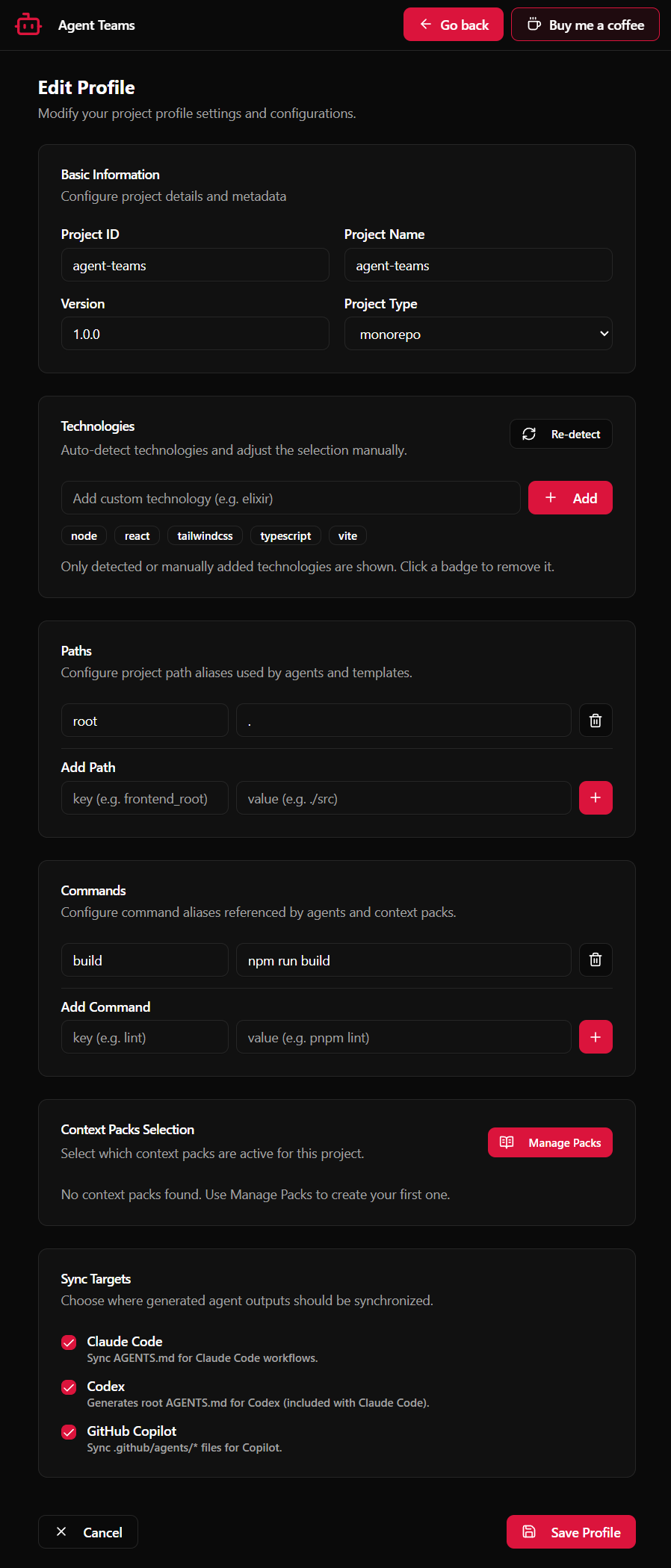
Agent Teams: Init Profile. - Follow the interactive wizard:
- Select the technologies used in the project (e.g. React, TypeScript, Node.js).
- Define named path mappings (e.g.
src,tests,components). - Define named commands (e.g.
build,test,lint).
- A
.agent-teams/project.profile.ymlfile is created at the workspace root.
Troubleshooting
The panel doesn't open
- Ensure VS Code is version ≥ 1.85.0 (
Help → About). - Try reloading: Command Palette →
Developer: Reload Window. - Verify the extension is enabled in the Extensions panel (search "Agent Teams").
Commands don't appear in Command Palette
- Check the extension is enabled and not in an error state in the Extensions panel.
- Look for activation errors:
View → Output→ select Agent Teams in the dropdown.
Sync errors after creating a team
- Make sure a
project.profile.ymlexists at the workspace root (runinitProfilefirst). - Verify
.agent-teams/teams/contains valid YAML files (runagent-teams agents:validate).
Extension was installed but agents aren't loading
- Open Command Palette →
Agent Teams: Reload Agents. - If the issue persists, close and reopen the dashboard panel.